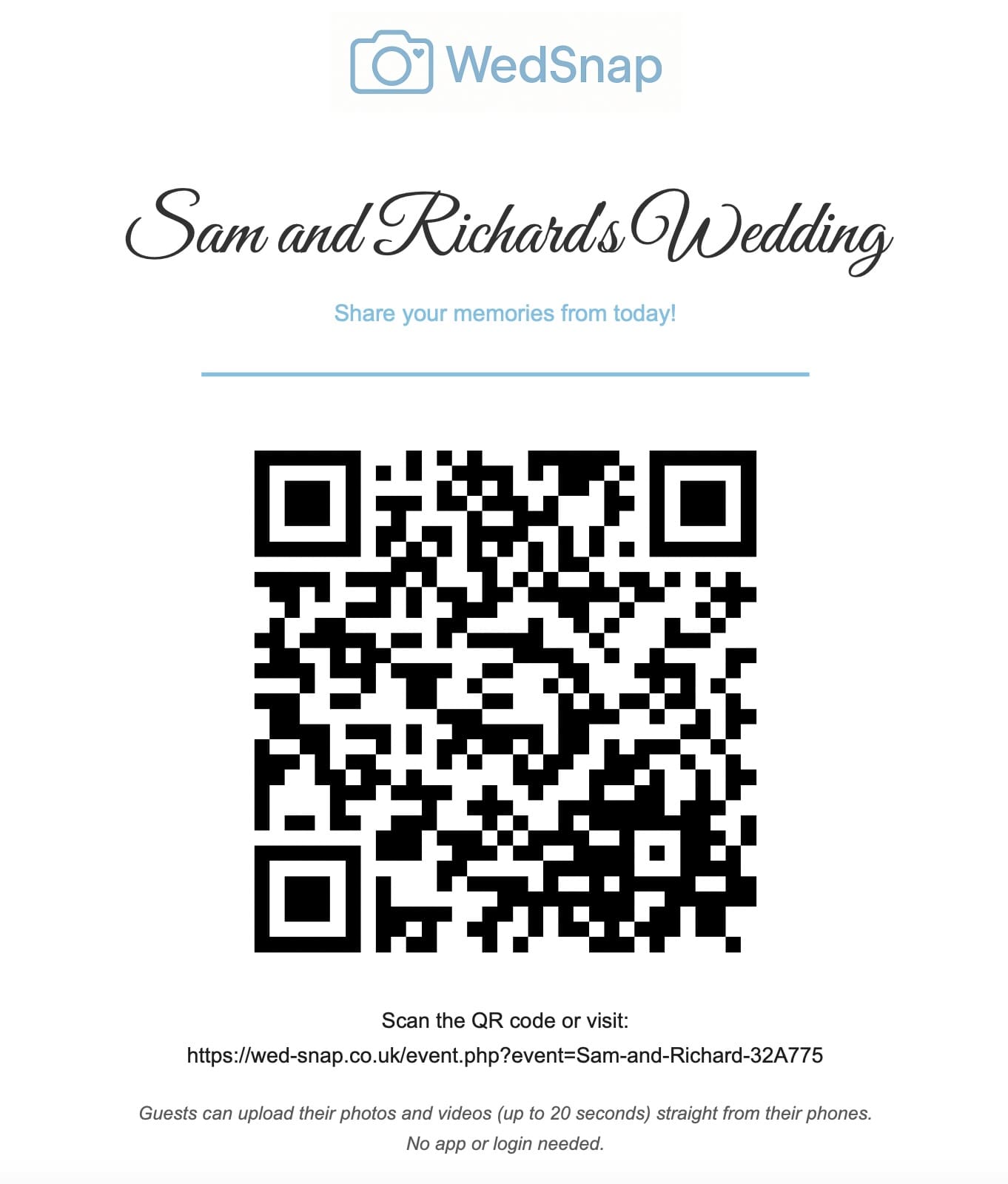

App-free wedding photo sharing can make contributing easier because guests are not asked to install software for a single event.
A browser-based uploader gives iPhone and Android users the same basic journey: open the wedding page, select photographs or short videos and upload them to the couple’s collection.
For the WedSnap service itself, explore wedding photo sharing without an app. This guide explains why removing app installation can reduce friction for guests.
Why app installation reduces participation
Guests may hesitate when asked to install software for a single event. They may have limited storage, forgotten marketplace passwords or concerns about permissions.
Other guests may:
- use an older device;
- have restricted app downloads;
- avoid creating new accounts;
- be signed into the wrong marketplace account;
- prefer not to share personal information;
- assume they can deal with it later and forget.
A browser uploader removes these unnecessary steps.
How browser-based wedding uploads work
- The guest scans the wedding QR code.
- The phone opens the event upload page.
- The guest chooses photographs or short videos.
- They add an optional name and message.
- The browser uploads the files.
- The couple sees them inside the private gallery.
Read how wedding upload QR codes work.
No guest registration
The guest should not need to create an account simply to contribute. The couple account remains protected separately and contains the complete gallery, settings and downloads.
This separation is important because an upload link should not act as an administrative login.
Apple and Android compatibility
A browser-based upload page can provide one consistent design across modern Apple and Android devices. Differences still exist between cameras, file formats and browser behaviour, so real-device testing remains essential.
Test:
- photograph selection on iPhone;
- photograph selection on Android;
- multiple-file selection;
- video selection;
- mobile-data uploads;
- venue Wi-Fi uploads;
- progress and success messages.
Handling large groups of files
A guest may select a large section of their camera roll. Sending every file in one request can exceed limits or fail near the end.
Browser-side batching divides the selection by file count and total size. Each batch is uploaded separately while retaining one shared upload-group identifier.
This means:
- earlier successful batches stay saved;
- the guest sees which batch is uploading;
- one failure does not restart everything;
- remaining files can be retried;
- the couple still sees one grouped contribution.
Visible progress matters
A browser uploader must visibly respond when the button is pressed. Otherwise guests may tap repeatedly, leave the page or assume nothing happened.
The interface should:
- disable duplicate submission;
- show a spinner or progress state;
- display the current batch;
- confirm successful completion;
- explain when earlier batches were retained;
- offer a clear retry action.
Guest names and messages
Optional names and messages make the collection personal. The gallery can display each upload group under the contributor’s name, followed by their message and files.
Guests who leave both fields blank can remain together in an unnamed section.
Private guest access
The event upload link should not expose the complete couple account. Guests need only the ability to contribute their files.
The couple retains authenticated control over:
- viewing the full collection;
- individual downloads;
- complete ZIP requests;
- account email details;
- event expiry information;
- gallery management.
Read how private wedding guest galleries work.
No app versus a shared photo application
| Browser wedding uploader | Shared photo app |
|---|---|
| Opens from a QR code or link | May require installation |
| No guest account required | May depend on platform accounts |
| Focused on one wedding event | General photo-library interface |
| Guest upload can remain separate | Contributors may browse the shared album |
| Names and messages can be collected | Uses the platform’s general identity model |
Compare a wedding uploader with a shared Google album.
Use a direct link as well as the QR code
A guest reading the invitation or reminder on their own phone cannot easily scan a code displayed on that same screen. Include the direct web address in all digital communication.
The QR code is most useful on printed signs and a second device.
Allow later uploads
Guests do not need to upload during the wedding. Poor signal, low battery and limited mobile data can make later uploading more sensible.
Send one morning-after reminder and keep the link open for the stated contribution period.
Download and back up the collection
A no-app upload process still needs a clear ending. Couples should request the complete gallery archive, extract it, verify the files and create permanent backups.
See the complete download guide and safe backup instructions.
Frequently asked questions
Common questions about app-free wedding photo sharing.
Can wedding guests upload photographs without an app?
Yes. A mobile browser uploader can accept photographs and supported videos through an event link or QR code.
Do guests need to create accounts?
No. The guest upload page can remain separate from the authenticated couple account.
Can an app-free uploader handle many files?
Yes. Browser-side batching divides large selections into manageable requests and preserves successful earlier batches.
Does app-free sharing work on iPhones and Android phones?
A well-tested responsive uploader can support modern Apple and Android browsers. The final page should always be tested on real devices before the wedding.
Remove the unnecessary steps
WedSnap lets guests contribute through a simple event page while the couple receives an organised private gallery and secure download tools.
Explore WedSnap wedding photo sharing without an app, see the browser upload process or create a gallery for £29.99.
Wed-Snap still gives guests a quick QR-code route for uploading wedding photographs and videos, but the current experience also includes a mobile Guest Hub, a private Couple Hub, a digital guestbook, guest welcome and scheduled notifications, wedding-day itinerary tools and controls for the shared gallery.
These features are included as part of one Wed-Snap wedding, rather than being sold as separate guestbook, messaging or planning subscriptions.
See the complete Wed-Snap feature list and how the experience works.