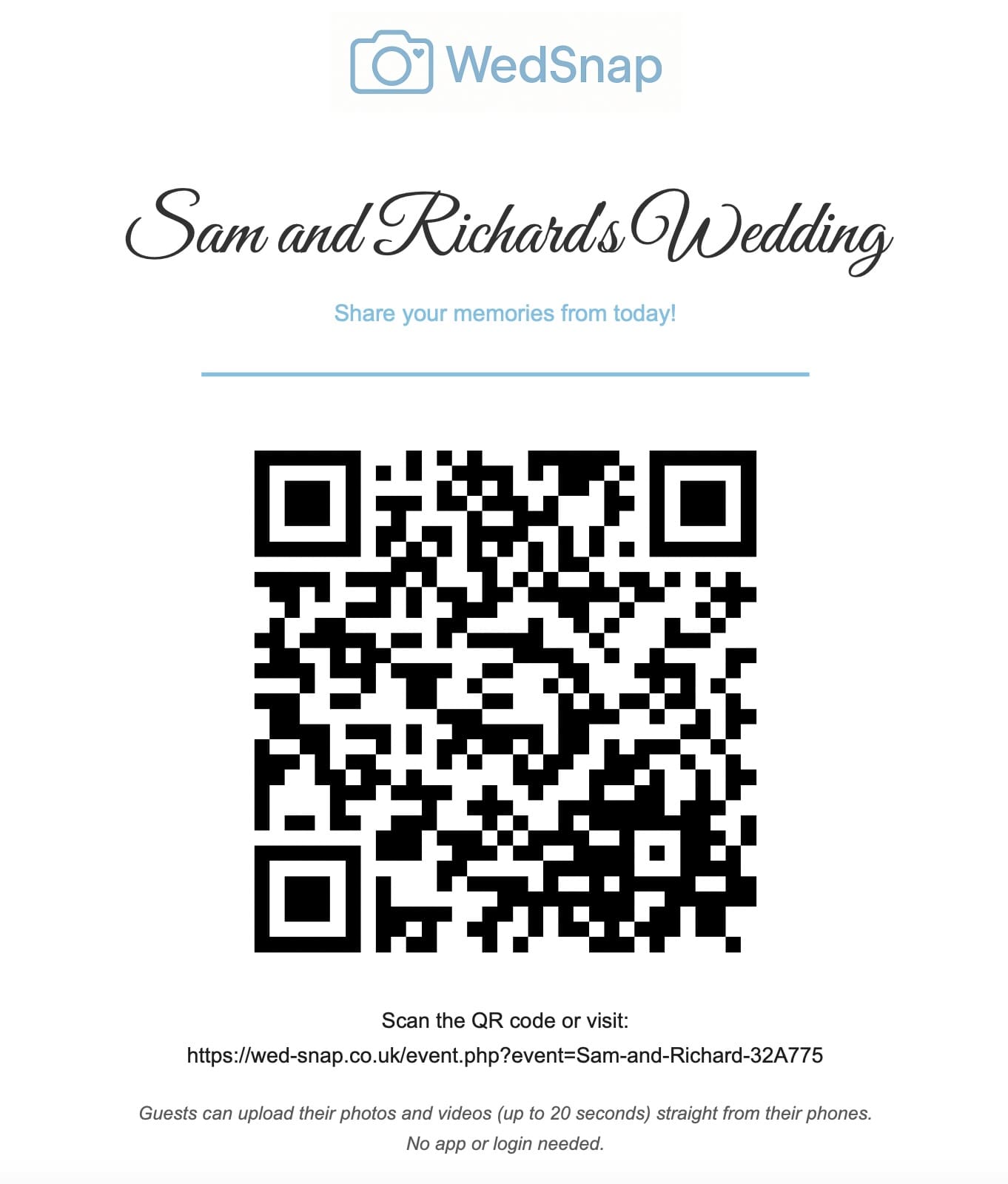
The best way to collect wedding photographs from guests is to give everybody one event-specific upload link that works in the browser, requires no guest account and remains easy to find after the wedding.
Scattered messages, social posts and shared folders may collect some photographs, but they rarely create one reliable master collection.
One option built specifically for this is WedSnap, which gives the wedding one browser-based upload destination. See how to collect wedding photos from guests in one private gallery.
Why guest photographs are worth collecting
The professional photographer cannot be everywhere at once. Guests see table conversations, old friends reuniting, children playing, evening arrivals and moments happening behind the main schedule.
These photographs do not replace professional coverage. They add personal viewpoints from inside the celebration.
Read how professional and guest photographs work together.
Why common collection methods become difficult
Guest files are often spread across:
- WhatsApp groups;
- individual messages;
- social-media posts;
- AirDrop transfers;
- shared cloud folders;
- email attachments;
- phones belonging to relatives.
The couple must then remember who sent what, locate original versions and download files one at a time.
Choose one central upload page
A browser-based wedding uploader gives every guest the same destination. They scan the QR code or open the direct link, choose files and upload them to the event.
The service should support:
- photographs and short videos;
- Apple and Android phones;
- multiple-file selections;
- visible upload progress;
- large selections divided into batches;
- optional names and messages;
- a private couple dashboard;
- complete gallery downloads.
Avoid requiring guest accounts
Every extra registration step reduces participation. Guests should not need to invent a password, verify an email or install an app simply to share a few photographs.
A separate authenticated account should remain available for the couple, while the guest page provides upload-only access.
Create the gallery before the wedding
Do not wait until the morning of the event. Set up and test the gallery early enough to print signs and correct any issue.
Test:
- the QR code on the final printed design;
- the direct link;
- an iPhone photograph upload;
- an Android photograph upload;
- a video upload;
- the optional name and message;
- the couple gallery;
- an individual download.
Display the QR code more than once
Guests may miss a single welcome sign. Use several natural placements:
- wedding website or invitation information;
- welcome sign;
- reception tables;
- guest-book station;
- bar or photo-booth area;
- evening reception signage;
- morning-after message.
See 15 wedding photo QR code ideas.
Use instructions guests understand
Keep the printed steps simple:
- scan the code;
- choose photographs or short videos;
- add an optional name and message;
- wait for the successful upload message.
See simple upload instructions for wedding guests.
Make uploading optional and welcoming
Guests should never feel responsible for documenting the wedding. Invite them to share the moments they naturally capture.
A friendly message produces better participation than a strict shot list. Use the candid guest photo checklist for inspiration without pressure.
Allow uploads after the wedding
Some guests will not upload during the event because of poor signal, low battery or limited mobile data. Keep the direct link available and send one morning-after reminder.
The message should include:
- a thank-you;
- the direct upload link;
- confirmation that photographs and videos are welcome;
- the upload deadline;
- permission to use home Wi-Fi later.
Collect names and messages
Optional names and messages turn a folder of anonymous files into meaningful guest sections. The couple may see that one group came from school friends, cousins or the people at a particular table.
Guests who prefer not to identify themselves can still upload anonymously.
Keep the gallery private during collection
Guest upload access should not expose the couple dashboard or complete collection. The couple can review everything before deciding what should be shared publicly.
Read how a private wedding photo gallery works.
Download the complete collection
Individual downloads are useful for favourites, but the final archive should include every current file. For a large gallery, let the server prepare a ZIP in the background and send a protected link to the account email.
See how to download every wedding guest photograph safely.
Create permanent backups
A temporary gallery is not permanent storage. Extract the final archive, verify the photographs and videos, and keep multiple copies in separate locations.
Follow the wedding guest photo backup guide.
Collection methods compared
| Method | Main limitation |
|---|---|
| Files become scattered across chats | |
| Social hashtag | Only finds public or discoverable posts |
| Shared cloud album | Account and permission confusion |
| Email attachments | File-size limits and many separate messages |
| Wedding upload gallery | Requires clear setup, signage and final downloading |
Frequently asked questions
Common questions about collecting wedding photographs from guests.
What is the easiest way for guests to share wedding photographs?
Give everybody one browser-based upload link and QR code that does not require an app or guest account.
When should guests be reminded to upload?
Display the code during the wedding and send one polite reminder the following day, including the direct link and upload deadline.
Should guests see every photograph in the gallery?
Not necessarily. Upload-only guest access lets the couple review the complete collection privately before sharing selected images.
Can guest photographs replace the professional photographer?
No. Guest photographs provide informal personal viewpoints, while the professional photographer remains responsible for reliable planned coverage.
Give every guest one easy destination
WedSnap combines an app-free guest uploader, event QR code, optional names and messages, a private couple gallery and secure complete downloads.
See how WedSnap works, review everything included or create your wedding gallery for £29.99.
Give guests ideas about what to photograph
A simple upload destination solves where photographs should go, but some couples also want to encourage a broader range of images. The optional WedSnap Wedding Photo Hunt lets couples create guest photography challenges for different people, reactions, details and parts of the day.
Used carefully, this can increase variety without making guests feel responsible for documenting the wedding. Read our wedding photo hunt ideas for practical examples.