A private wedding photo gallery can make guest contributions simple without giving every visitor access to the couple’s account or complete collection. The important distinction is between permission to upload and permission to view, manage or download everything.
Guests need a quick route for contributing photographs and short videos. Couples need authenticated access to review those uploads, read messages, download files and manage the event. These two experiences should remain separate.
A private wedding gallery gives guests one simple place to contribute photographs and videos while the couple keeps control of the complete collection. If your main goal is gathering everyone's files in one place, see how to collect wedding photos from guests or explore the full wedding photo sharing experience.
How guest upload access works
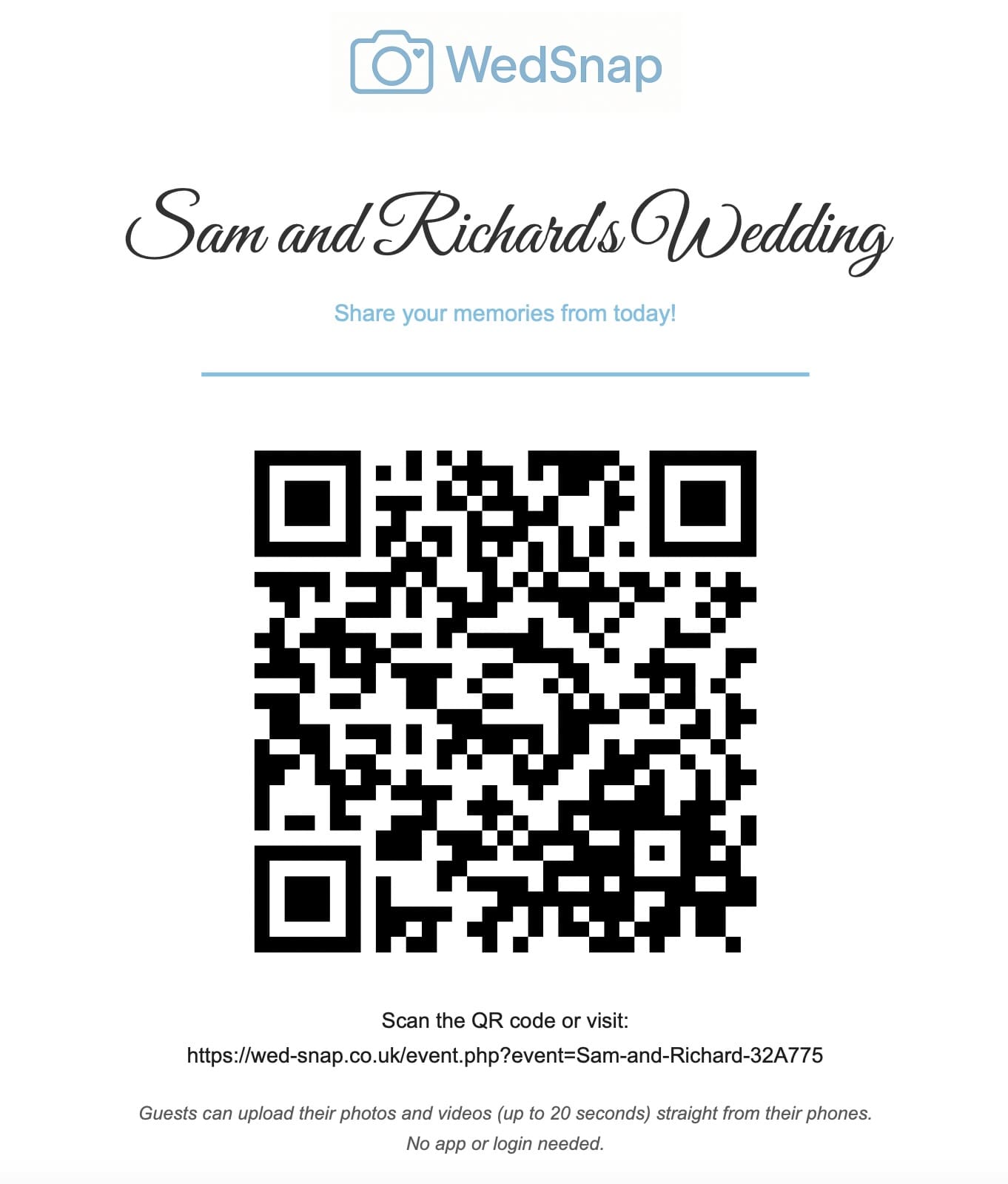
The couple receives an event-specific guest link and QR code. A guest scans the code, opens the event upload page in their phone browser and selects the files they want to contribute.
With WedSnap, guests may also add their name and an optional message. Files uploaded together remain grouped, helping the couple understand who shared each section and why a particular moment mattered.
Guests do not need to create an account, remember a password or install an app. They are given access only to the upload experience required for that wedding.
The Guest Hub and Couple Hub have different permissions
In the current Wed-Snap experience, guests use the Guest Hub while the couple uses the private Couple Hub.
The Guest Hub can provide the parts of the wedding that the couple deliberately chooses to share:
- photograph and video uploads;
- the digital guestbook;
- selected wedding information and itinerary details;
- the shared guest gallery when it is enabled.
The Couple Hub contains the private controls used to prepare the wedding, manage guests, schedule communications, review every upload and control the gallery.
Couples control whether guests can browse the gallery
A couple may want guests to upload without seeing the collection, particularly before the wedding has finished or while contributions are being reviewed.
Another couple may want a shared gallery where guests can revisit photographs from the day. Wed-Snap allows that shared guest view to be enabled or kept closed.
The complete management view remains private either way. Guests do not receive access to account settings, private download preparation, email controls or the full Couple Hub.
What remains inside the couple account
The authenticated couple account contains the complete gallery and management tools. This includes viewing every upload, downloading individual files, requesting a complete ZIP archive and seeing when the event will expire.
The guest uploader should never expose:
- the couple’s password;
- account settings;
- private email details;
- download-management tools;
- other administrative information;
- the complete collection unless the couple deliberately shares it elsewhere.
Why upload-only access is useful
Some couples are comfortable allowing every contributor to browse the collection. Others prefer to review photographs before deciding what should be shared more widely. Upload-only access supports the second approach.
This can be particularly important when the gallery includes children, private family moments, unflattering images or photographs of people who may not want them posted publicly.
Read whether wedding photo QR codes are private for a closer look at what the printed code itself reveals.
Private does not mean permanent storage
A private event gallery is still a temporary collection service rather than an indefinite archive. Couples should know the expiry date, download everything well before it arrives and create permanent backups elsewhere.
WedSnap can prepare larger exports in the background and email the account holder a protected download link. This avoids leaving a browser tab open while hundreds of photographs and videos are compressed.
See how to download all wedding guest photos safely and how to create reliable backups.
How the private gallery differs from public social sharing
| Private wedding upload gallery | Public social sharing |
|---|---|
| Files are sent directly to the couple’s event | Posts are shared through a social account |
| Guests may not need an account | A compatible platform account is normally required |
| The couple reviews files privately | Images may be published immediately |
| Original submitted files can be collected | Displayed copies may be processed or compressed |
| Complete downloads can be organised | Files remain scattered across profiles and posts |
Control individual uploads as well as the whole gallery
Gallery visibility does not need to be all or nothing. If a particular upload should not appear in the shared guest gallery, the couple can keep it hidden while retaining it privately.
This is useful when an image is:
- unflattering or clearly accidental;
- personal to the couple;
- inappropriate for the wider guest list;
- a duplicate that adds clutter;
- something the couple wants to review later.
The couple can therefore maintain a welcoming shared gallery without deleting every item that should remain private.
Keep the digital guestbook separate from upload notes
An upload note explains a particular group of photographs. A digital guestbook message is a personal entry for the couple.
Keeping these separate gives guests the choice to upload, sign the guestbook or do both. It also prevents meaningful guestbook messages from being buried beneath media filenames.
How to control access sensibly
Treat the guest QR code like an event-specific invitation link. Display it at the wedding and share it directly with guests, but avoid publishing it widely if you do not want unrelated visitors reaching the upload page.
Use a strong unique password for the couple account and do not reuse it on other services. Keep the account email current because download confirmations and expiry reminders may be sent there.
After the event, review guest uploads before using them in public albums or social posts. Consider the people shown, particularly children and private family situations.
What happens when the gallery expires
A temporary event gallery should provide reminders before its files are removed. Couples must still take responsibility for completing the download and checking the archive.
Once the files have been securely downloaded and backed up, expiry reduces the amount of personal event material left online indefinitely.
Frequently asked questions
Answers about guest access, privacy and managing a private wedding photo gallery.
Can guests see every photograph in a private wedding gallery?
Not necessarily. A system can give guests upload-only access while keeping the full gallery inside the couple’s authenticated account.
Is a wedding QR code itself private?
The QR code contains a link and can be scanned by anyone who sees it. Privacy comes from limiting what the linked page allows visitors to access.
Do guests need accounts to upload privately?
No. A browser-based upload page can accept contributions without guest accounts while keeping the couple dashboard protected separately.
Should the gallery remain online permanently?
No. Couples should download and back up the collection before the temporary access period expires rather than relying on the gallery as permanent storage.
Use one controlled wedding space for every contribution
Wed-Snap gives guests a welcoming Guest Hub while keeping private management inside the Couple Hub.
Couples can collect photographs, videos and guestbook messages, share selected wedding information and decide whether the guest gallery should be open—all without exposing private account controls.
See how Wed-Snap works, review the privacy and gallery features or create your wedding for £29.99.